 AcademicTools
IBM SPSS Statistics Cheap Subscription – ₹4,319 per month
From ₹4,319 / month
Point-and-click statistical analysis for theses and survey research. Plans from ₹4,319/month.
Choose your plan
You’ll complete payment securely on app.academictools.in
Description
IBM SPSS Statistics Cheap Subscription plans on AcademicTools start at ₹4,319 per month. IBM SPSS Statistics is a point-and-click statistics package used in social sciences, psychology, nursing and management research. It runs descriptive statistics, t-tests, ANOVA, regression and more without writing code.
Why students choose IBM SPSS Statistics
- Descriptive statistics, crosstabs and frequency tables
- T-tests, ANOVA, correlation and regression
- Reliability analysis such as Cronbach's alpha for questionnaires
- Factor analysis for scale development
- Charts and output tables ready for reports
- Syntax editor for repeatable analysis
Who the IBM SPSS Statistics cheap subscription is best for
Best for: Postgraduate and PhD students analysing questionnaire data, and researchers in health and social sciences.
IBM SPSS Statistics plans and prices
Pick the length that matches your semester. A IBM SPSS Statistics cheap subscription for one month costs ₹4,319, while committing to a year brings it down to about ₹3,057 per month, 29% less than renewing every month.
| Plan | Price | Per month | You save |
|---|---|---|---|
| 1 Month | ₹4,319 | ₹4,319 | – |
| 3 Months | ₹11,219 | ₹3,740 | 13% |
| 6 Months | ₹20,719 | ₹3,453 | 20% |
| 12 Months | ₹36,689 | ₹3,057 | 29% |
Not sure how long you need IBM SPSS Statistics? Most students start with the one-month IBM SPSS Statistics cheap subscription at ₹4,319 and extend later; if you already know it is part of your routine, the 6-month (₹20,719) or 12-month (₹36,689) plan costs less per month.
How to start using IBM SPSS Statistics
- Follow the install or activation note sent with your order.
- Import your dataset and check variable types and missing values.
- Run your planned analysis and export tables and charts for your report.
Tips to get more from IBM SPSS Statistics
- Clean and label your data before analysis in IBM SPSS Statistics; most errors start with messy variables.
- Save your IBM SPSS Statistics syntax, scripts or project files so your supervisor can reproduce the results.
- Decide your tests from your research questions before running IBM SPSS Statistics, not after looking at outputs.
Use it responsibly: Software runs the numbers, but choosing the right test and interpreting the results is your responsibility; check with your supervisor.
Buying a IBM SPSS Statistics cheap subscription here means rupee pricing, no yearly lock-in and setup help from our team on WhatsApp. Your IBM SPSS Statistics access arrives within an hour during working hours, and a 24-hour refund covers you if it does not work.
Before you order the IBM SPSS Statistics cheap subscription
- Check whether your college or library already gives you IBM SPSS Statistics free; if it does, use that licence.
- Read the official features and limits below so you know what this IBM SPSS Statistics cheap subscription includes.
- Order a day before an important deadline to leave time for setup.
What you get with your IBM SPSS Statistics cheap subscription
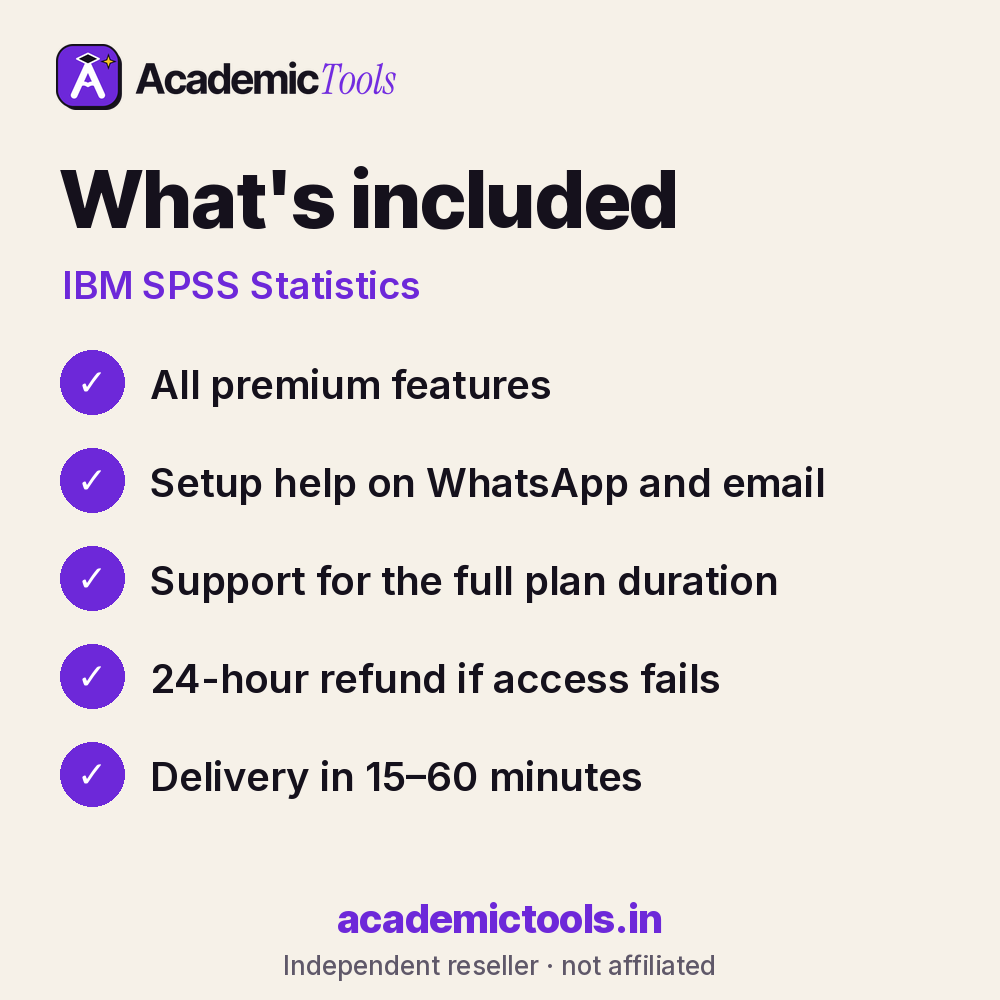
- IBM SPSS Statistics access for 1, 3, 6 or 12 months, as chosen at checkout
- Delivery in 15–60 minutes between 9 AM and 9 PM IST after payment on app.academictools.in
- Setup help and support on WhatsApp for the full plan
- Refund within 24 hours if access does not work, as per our refund policy
Official features and limits
Some advanced modules such as AMOS or certain add-ons are separate products. SPSS runs on Windows and Mac only. For full feature details, see the official IBM SPSS Statistics website at ibm.com/spss.
IBM SPSS Statistics FAQs
Is AMOS included?
No, AMOS for structural equation modelling is a separate IBM product.
Can SPSS calculate Cronbach's alpha?
Yes, under Analyze > Scale > Reliability Analysis.
Do I need coding skills?
No, menus cover most tests, though syntax is available.
Which operating systems are supported?
Windows and macOS.
Related tools
Browse more Statistics & Research Software tools, or compare the NVivo and GraphPad Prism plans. New here? Read how ordering works.
Get your IBM SPSS Statistics cheap subscription today: select a plan above, pay by UPI or card, and start using IBM SPSS Statistics in 15–60 minutes. We are on WhatsApp if you need help.
AcademicTools is an independent reseller and is not affiliated with IBM SPSS Statistics. Brand names and logos belong to their respective owners.
Additional information
| Plan | 1 Month, 3 Months, 6 Months, 12 Months |
|---|
Related products
-
Scite.ai Cheap Subscription – ₹479 per month
From ₹479 / monthBuy now This product has multiple variants. The options may be chosen on the product page -

Adobe Acrobat Pro Cheap Subscription – ₹429 per month
From ₹429 / monthBuy now This product has multiple variants. The options may be chosen on the product page -
Elicit Cheap Subscription – ₹439 per month
From ₹439 / monthBuy now This product has multiple variants. The options may be chosen on the product page -
GPTZero Cheap Subscription – ₹589 per month
From ₹589 / monthBuy now This product has multiple variants. The options may be chosen on the product page
Reviews
There are no reviews yet.