 AcademicTools
Adobe Acrobat Pro Cheap Subscription – ₹429 per month
From ₹429 / month
Edit, convert, merge, OCR and e-sign PDFs on desktop and mobile. Plans from ₹429/month.
Choose your plan
You’ll complete payment securely on app.academictools.in
Description
Adobe Acrobat Pro Cheap Subscription plans on AcademicTools start at ₹429 per month. Adobe Acrobat Pro edits, converts, combines and signs PDF files on desktop and mobile. Students and professionals use it to fix scanned notes, merge assignment files and fill or sign forms without printing.
Why students choose Adobe Acrobat Pro
- Edit text and images directly inside a PDF
- Convert PDFs to Word, Excel or PowerPoint and back
- OCR turns scanned pages into searchable, editable text
- Combine, split, reorder and compress files for submission portals
- Request and add e-signatures on forms and agreements
- Compare two versions of a document to see changes
Who the Adobe Acrobat Pro cheap subscription is best for
Best for: Students who submit PDFs, researchers handling scanned material, and anyone managing forms and contracts.
Adobe Acrobat Pro plans and prices
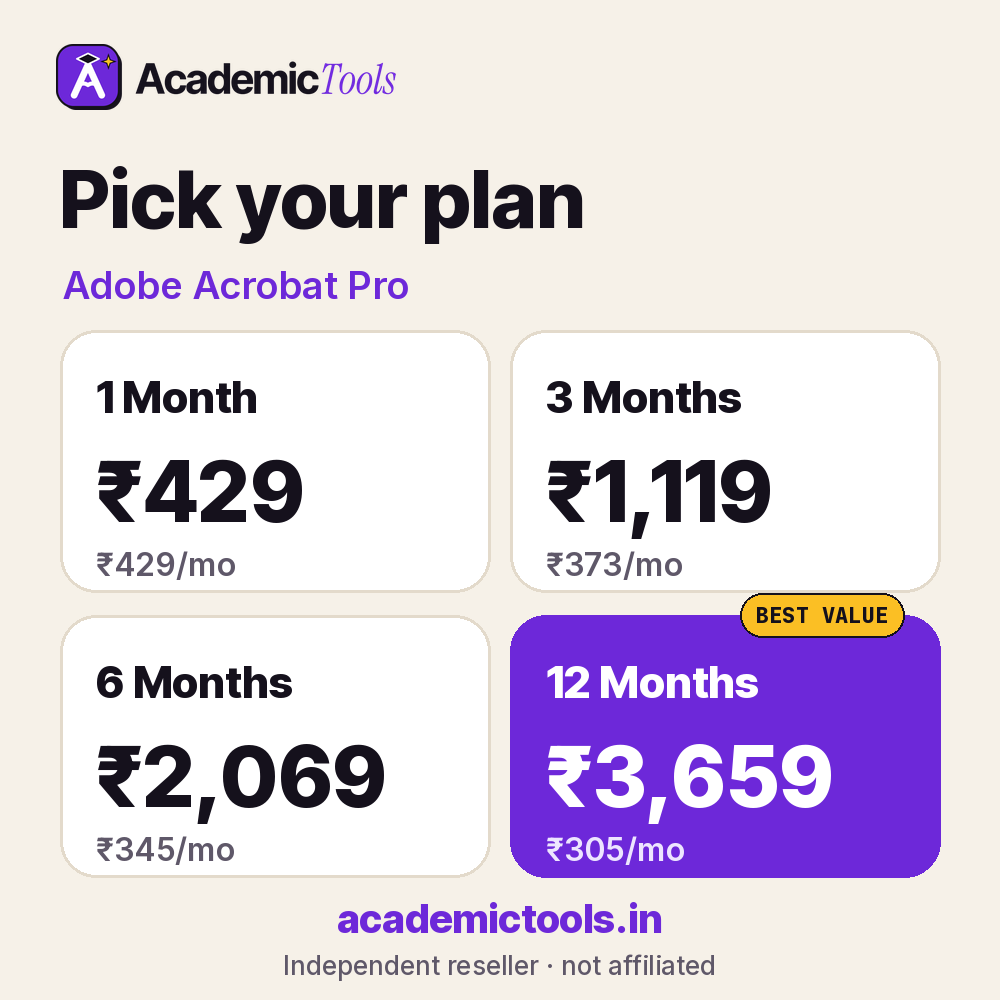
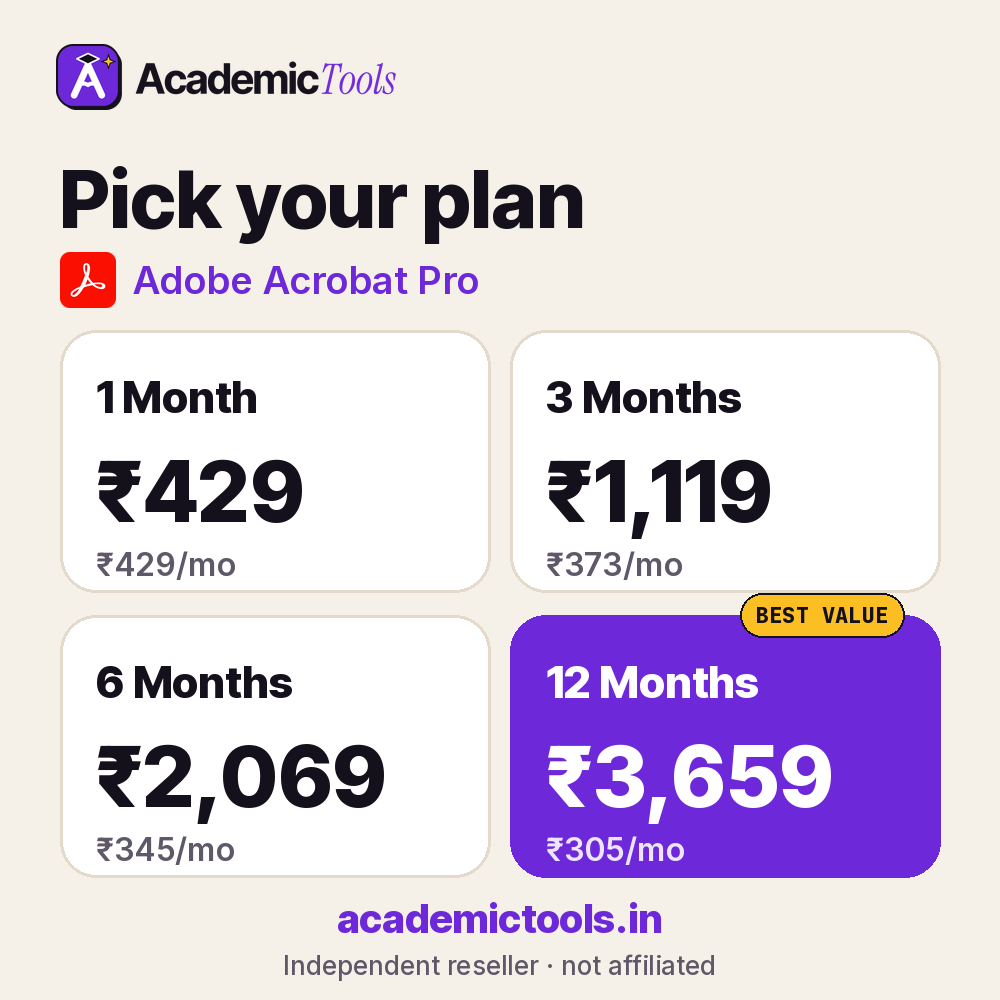
Pick the length that matches your semester. A Adobe Acrobat Pro cheap subscription for one month costs ₹429, while committing to a year brings it down to about ₹305 per month, 29% less than renewing every month.
| Plan | Price | Per month | You save |
|---|---|---|---|
| 1 Month | ₹429 | ₹429 | – |
| 3 Months | ₹1,119 | ₹373 | 13% |
| 6 Months | ₹2,069 | ₹345 | 20% |
| 12 Months | ₹3,659 | ₹305 | 29% |
As a rule of thumb, buy the Adobe Acrobat Pro cheap subscription for as long as your project lasts: ₹429 covers one month, ₹1,119 covers three, ₹2,069 covers six and ₹3,659 covers a full year of Adobe Acrobat Pro.
How to start using Adobe Acrobat Pro
- Sign in to Adobe Acrobat Pro with the account details sent to you.
- Open a PDF and try the edit, comment and convert tools.
- Save your edited files to cloud storage or your device.
Tips to get more from Adobe Acrobat Pro
- Use Adobe Acrobat Pro comments and highlights to build your literature notes as you read.
- Combine scanned pages in Adobe Acrobat Pro and run text recognition so you can search them later.
- Compress large files in Adobe Acrobat Pro before uploading to portals with size limits.
Use it responsibly: Only edit or share documents you have the right to modify, and respect copyright on published PDFs.
Buying a Adobe Acrobat Pro cheap subscription here means rupee pricing, no yearly lock-in and setup help from our team on WhatsApp. Your Adobe Acrobat Pro access arrives within an hour during working hours, and a 24-hour refund covers you if it does not work.
Before you order the Adobe Acrobat Pro cheap subscription
- Check whether your college or library already gives you Adobe Acrobat Pro free; if it does, use that licence.
- Read the official features and limits below so you know what this Adobe Acrobat Pro cheap subscription includes.
- Order a day before an important deadline to leave time for setup.
What you get with your Adobe Acrobat Pro cheap subscription
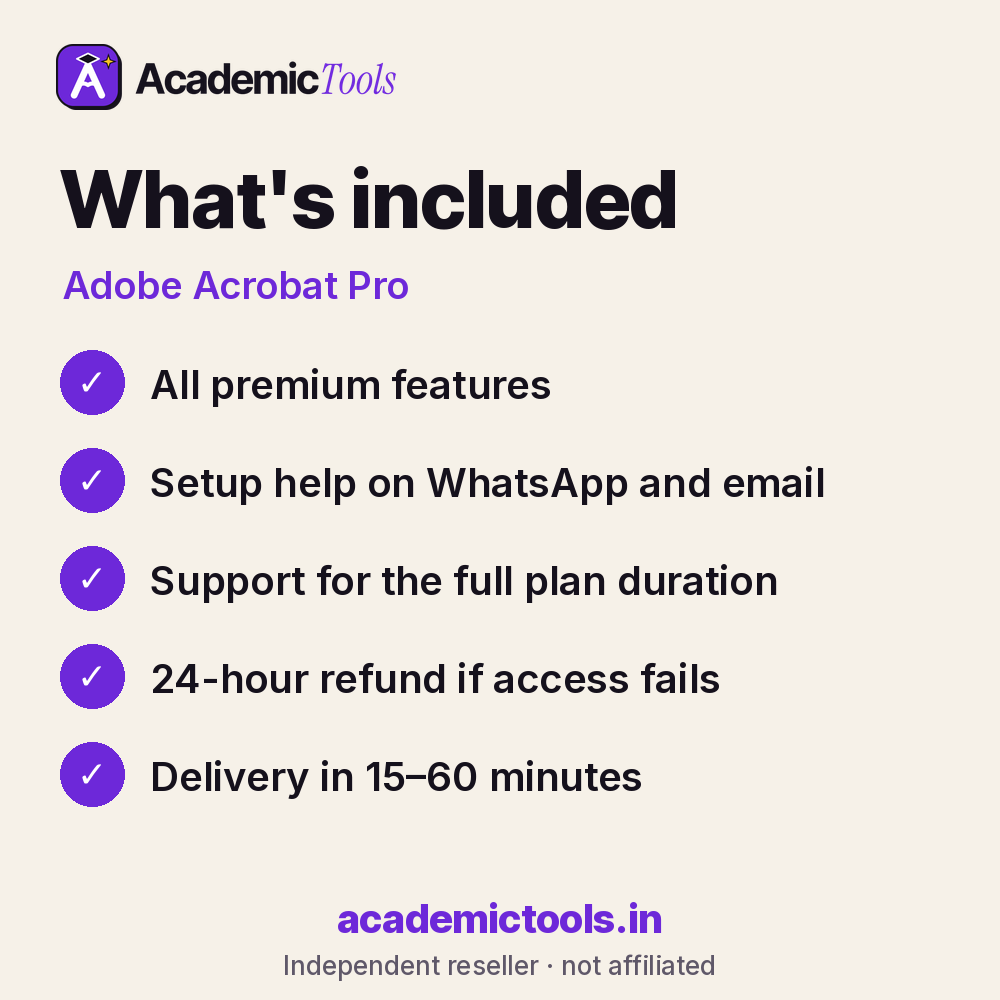
- Adobe Acrobat Pro access for 1, 3, 6 or 12 months, as chosen at checkout
- Delivery in 15–60 minutes between 9 AM and 9 PM IST after payment on app.academictools.in
- Setup help and support on WhatsApp for the full plan
- Refund within 24 hours if access does not work, as per our refund policy
Official features and limits
Acrobat's AI Assistant is a separate add-on from Adobe and is not included unless stated. Some features need the desktop app rather than the web version. For full feature details, see the official Adobe Acrobat Pro website at adobe.com.
Adobe Acrobat Pro FAQs
Can I edit a scanned PDF?
Yes, run OCR first and Acrobat makes the text editable.
Does it convert PDF to Word?
Yes, with formatting preserved for most documents.
Can I compress a PDF for a portal limit?
Yes, Reduce File Size and Optimise PDF lower file sizes for uploads.
Is the AI Assistant included?
It is a separate paid add-on from Adobe, not part of the standard Acrobat Pro plan.
Related tools
Browse more PDF & Reading tools, or compare the Microsoft 365 Personal / Copilot and Scribd / Everand plans. New here? Read how ordering works.
Get your Adobe Acrobat Pro cheap subscription today: select a plan above, pay by UPI or card, and start using Adobe Acrobat Pro in 15–60 minutes. We are on WhatsApp if you need help.
AcademicTools is an independent reseller and is not affiliated with Adobe Acrobat Pro. Brand names and logos belong to their respective owners.
Additional information
| Plan | 1 Month, 3 Months, 6 Months, 12 Months |
|---|
Related products
-

Wolfram|Alpha Pro Cheap Subscription – ₹399 per month
From ₹399 / monthGet instant access → This product has multiple variants. The options may be chosen on the product page -
Trinka AI Cheap Subscription – ₹789 per month
From ₹789 / monthGet instant access → This product has multiple variants. The options may be chosen on the product page -
Symbolab Pro Cheap Subscription – ₹389 per month
From ₹389 / monthGet instant access → This product has multiple variants. The options may be chosen on the product page -
Microsoft 365 Personal / Copilot Cheap Subscription – ₹309 per month
From ₹309 / monthGet instant access → This product has multiple variants. The options may be chosen on the product page
Reviews
There are no reviews yet.